Manage Bots & Apps
Managing Bots and Apps is just as easy as adding them.
View & Adjust
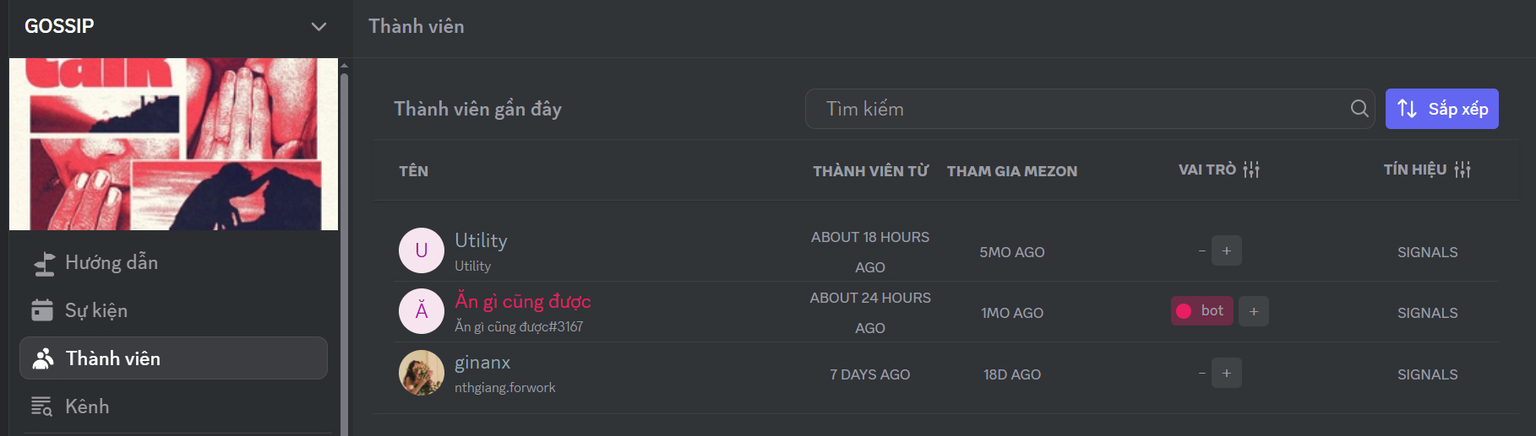
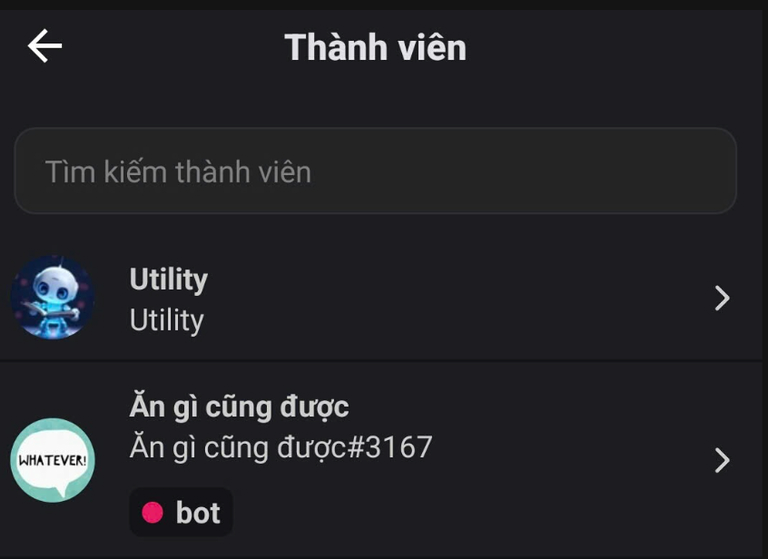
Go to the Members section in your Clan. Here, you’ll see a list of all active Bots and Apps.
- PC
- Mobile
Customize Roles & Permissions
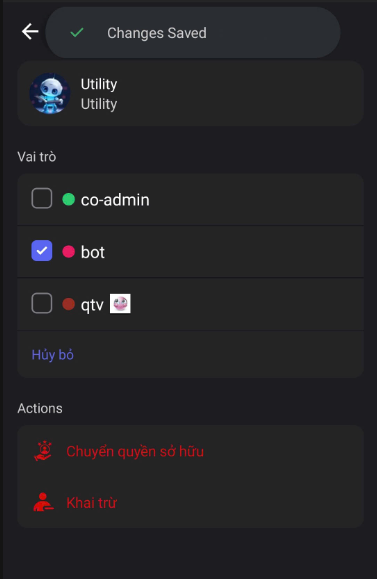
Just like regular members, you can assign specific roles to a Bot/App. This helps you control exactly what actions they can perform within your Clan. Adjust permissions under Clan Settings > Roles.
- PC
- Mobile

Advanced Management
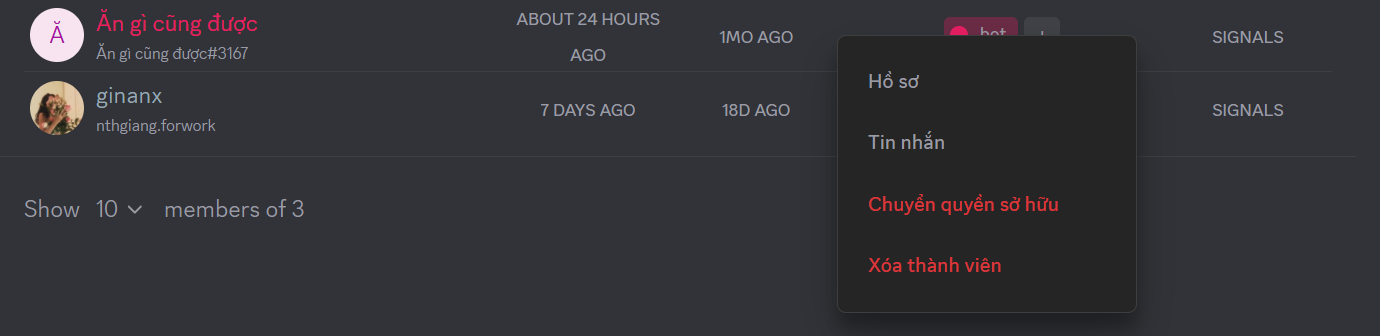
Click on a Bot/App to view its Profile. From here, you can:
- Send direct messages to the Bot/App
- Transfer ownership (for Bots/Apps you developed)
- Remove the Bot/App from the Clan if it’s no longer needed
- PC
- Mobile
tip
Bots are managed just like regular Clan members. You can review and adjust their permissions and roles the same way — through Role and Permission Management.