Overview Settings
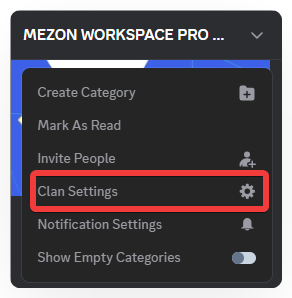
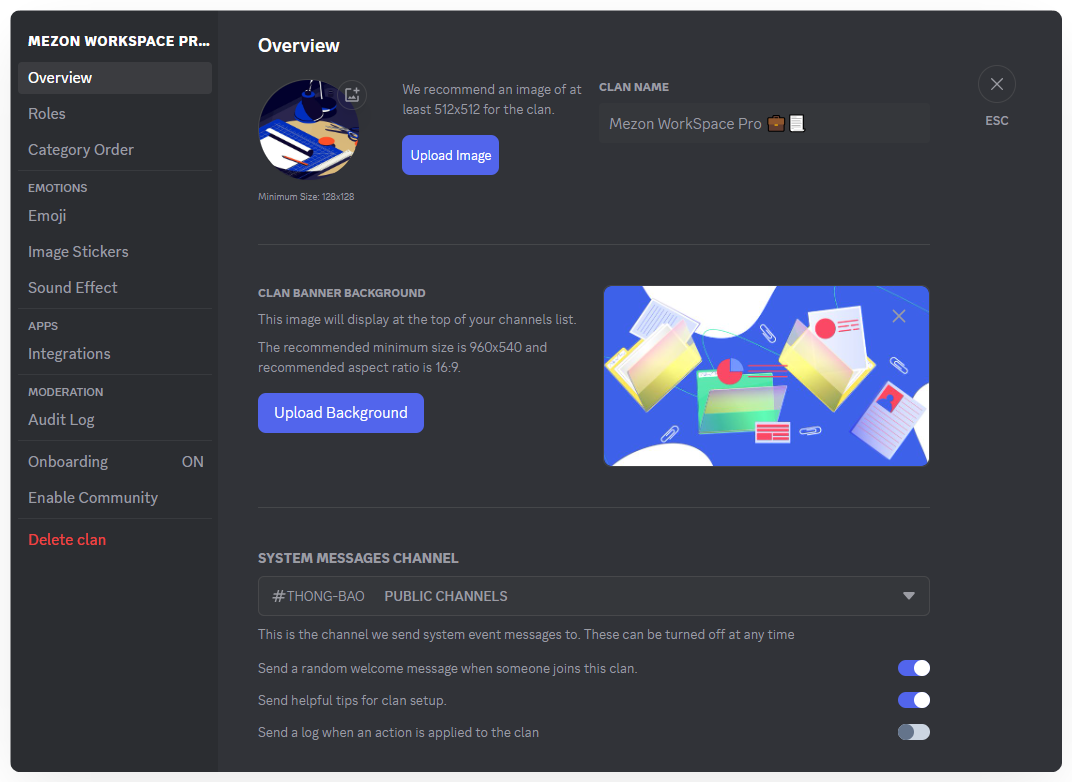
Open Clan Settings, and you will see the following sections:
- Overview: Set your Clan’s name, change its avatar, and update the banner.
- Roles & Permissions Management: Create, organize, and assign permissions for each role within the Clan.
- Icons & Stickers (Image/Voice): Upload and manage the Clan’s custom emojis, image stickers, and voice stickers.
- Category Order: Arrange the display order of your Clan’s categories and channels.
- Integrations: Connect with bots or external apps to extend features and personalize your Clan.
- Audit Logs: View the history of administrative actions within the Clan.
- New Member Guide: Set up guides and default roles for members joining your Clan.
- Community Activation: Enable community features, allowing your Clan to have a stable link and open access for anyone to join freely.
- Delete Clan: Remove the Clan from the system.
Wish you a stronger and more professional community with Mezon!